Drive Mad
The physics driving game where balance beats speed. Get your car to the finish without flipping — play free, right here, no download.
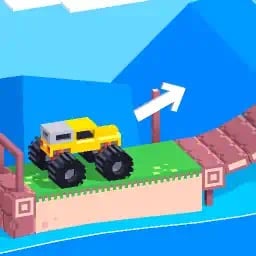
Playing Drive Mad — more games like it below, they swap right here.
Physics & Balance
The Drive Mad style: a vehicle with unforgiving physics, a course that punishes speed, and nothing to save you but throttle control.
 Drive Mad
The physics driving game where balance beats speed — get the car to the finish without flipping.
▶ Play here
 Torque Trail
A monster truck, 20 physics courses, and one rule: reach the finish without tipping over.
▶ Play here
 TrailBalance
Mountain-bike racing built on weight shift and braking, not on scripted animation.
▶ Play here
 Monster Truck Stunt Cars
Giant ramps and big air, where the landing is what decides the run.
▶ Play here
 Nitro Crush Monster Truck
Thirty arena levels of giant wheels, tight corners and other trucks to get past.
▶ Play here
Drift & Race
Sideways, on two wheels or four — racing games where the fast line is rarely the straight one.
 Apex Drift
A drift racer scored on how long you can hold a slide before the wall stops you.
▶ Play here
 Kart Volcano
Arcade kart racing across five worlds, with drift-charged turbo and item boxes.
▶ Play here
 Moto X3M
Physics motorbike time trials where one bad lean sends the rider flying.
▶ Play here
 MOTOCROSS RUSH
Arcade motocross with twelve dirt tracks, four bikes and missiles for the riders ahead.
▶ Play here
Trucks & Traffic
Heavy vehicles, busy roads and long horizons. Less about precision, more about nerve.


Drive Mad is a physics driving game by Martin Magni, played by millions on Poki and beyond. You take control of one unusual vehicle after another — monster trucks, tiny cars, heavy buses, even one-wheel contraptions — and try to get it to the finish flag in one piece. Sounds simple. It is not. Every ramp, bridge, seesaw and moving platform is out to flip you over, and the car reacts to every bump in the road with real physics.
How to play Drive Mad
Each level is a short obstacle course. Accelerate, balance, brake and roll your way to the checkered flag at the end. Flip the car or lose your cargo and the level restarts instantly — which is exactly why “just one more try” turns into hours. Early levels teach you throttle control and balance; later ones stack narrow bridges, giant ramps, falling rocks and vehicles that really should not be drivable.
- Start slow. Tap the gas and learn how the current vehicle reacts before flooring it.
- Keep the car level. Tilt left or right in the air so you land on all wheels.
- Brake before steep drops so you do not nose-flip on the landing.
- Read the obstacle first. Moving platforms and seesaws have a rhythm — wait for it.
- Reach the flag to unlock the next level. Fail fast, retry faster.
Controls
| Action | Keyboard | Mobile |
|---|---|---|
| Accelerate | W or Up arrow | Right pedal |
| Brake / reverse | S or Down arrow | Left pedal |
| Tilt back (nose up) | A or Left arrow | Left tilt button |
| Tilt forward (nose down) | D or Right arrow | Right tilt button |
| Restart level | R | Restart icon |
Game features
- Real physics. Speed, terrain and landing angle all change how the car behaves — every crash is earned.
- Hundreds of levels. The game packs hundreds of stages across themed worlds, from simple hills to full-on stunt courses.
- A different ride every level. Monster trucks, excavators, buses, tiny wheelers — each one handles differently.
- Instant restart. Levels are short, retries are instant, and failure is usually hilarious.
- Plays anywhere. Runs in the browser on desktop and mobile, no download, no sign-up.
Tips for hard levels
Most crashes come from two things: too much speed and bad landings. Control your speed on approach, brake before steep drops, and use short taps of acceleration when a level needs precision instead of power. In the air, make one small tilt correction at a time — panic-mashing both directions adds spin you cannot undo. And when the car flips anyway (it will), note which wheels touched first; that tells you what to change on the next run. For the full world-by-world breakdown, read the Drive Mad levels guide.
Games like Drive Mad
If you finish a run and want more balance-and-don't-flip driving, these free driving games below scratch the same itch — physics cars, tricky terrain, trucks that tip over. Click any game and it starts right here on this page. Prefer to browse first? See all 10 games like Drive Mad, ranked by how close each one actually feels.
Why Drive Mad is so popular
The game's hook is the gap between how easy it looks and how hard it is. Two buttons and a couple of arrow keys are all you need, yet the physics make every stage a small puzzle: a bridge that collapses under weight, a ramp that launches you a little too far, a truck that tips over the moment you breathe on the steering. Crashes are spectacular and instant, retries cost nothing, and beating a level that flipped you twenty times feels genuinely earned. That loop — try, crash, laugh, retry — is why it became one of the most-played browser driving games in the world and a fixture of school-browser gaming.
On phones and tablets
The browser edition runs on phones and tablets with on-screen steering buttons, so you can play the same levels on the bus as at your desk. If the course needs quick balance corrections, turning your device and using fullscreen gives you more room and a clearer view of upcoming obstacles. Progress is per-session, so a short level structure fits mobile play perfectly: one more run, one more flip, one more retry. Can't open it at school? Drive Mad unblocked explains what to do — the same game runs right here.
Questions people ask
What is Drive Mad?
Drive Mad is a physics-based driving game by Martin Magni. You guide a series of unusual vehicles through obstacle courses and try to reach the finish flag without crashing or flipping over.
Is Drive Mad free to play?
Yes. You can play Drive Mad online for free right on this page — no download, no account, no sign-up.
Do I need to download Drive Mad?
No. The game runs in your browser. Click Play, wait a moment for it to load, and you are driving.
What are the Drive Mad controls?
W or the up arrow accelerates, S or the down arrow brakes and reverses, and A/D or the left/right arrows tilt and balance the car. On mobile, use the on-screen buttons.
Why does my car keep flipping over?
Usually too much speed or a bad landing angle. Slow down before ramps, keep the car level in the air, and make one small tilt correction at a time instead of mashing both directions.
Can I play Drive Mad on mobile?
Yes. The game works in mobile browsers and supplies on-screen driving buttons. Rotate to a comfortable orientation and use fullscreen for the best view of the track.
How do I beat the hard Drive Mad levels?
Read the obstacle before moving, use short acceleration taps for precision sections, and prioritise stable landings over speed. Later levels are about patience, not throttle.
Who created Drive Mad?
Drive Mad was created by Martin Magni and is part of the Fancade family of games. The version on this page is a free browser edition of that game.
Comments
No comments yet — how far did you get?